WORKS
DevFest GDGoC Japan 2026 Hackathon
November 2026, Osaka venue
nuri
A social app for makeup recipes. It turns makeup videos into recipes and overlays where to apply on your face in the front camera, so you can follow one step at a time.
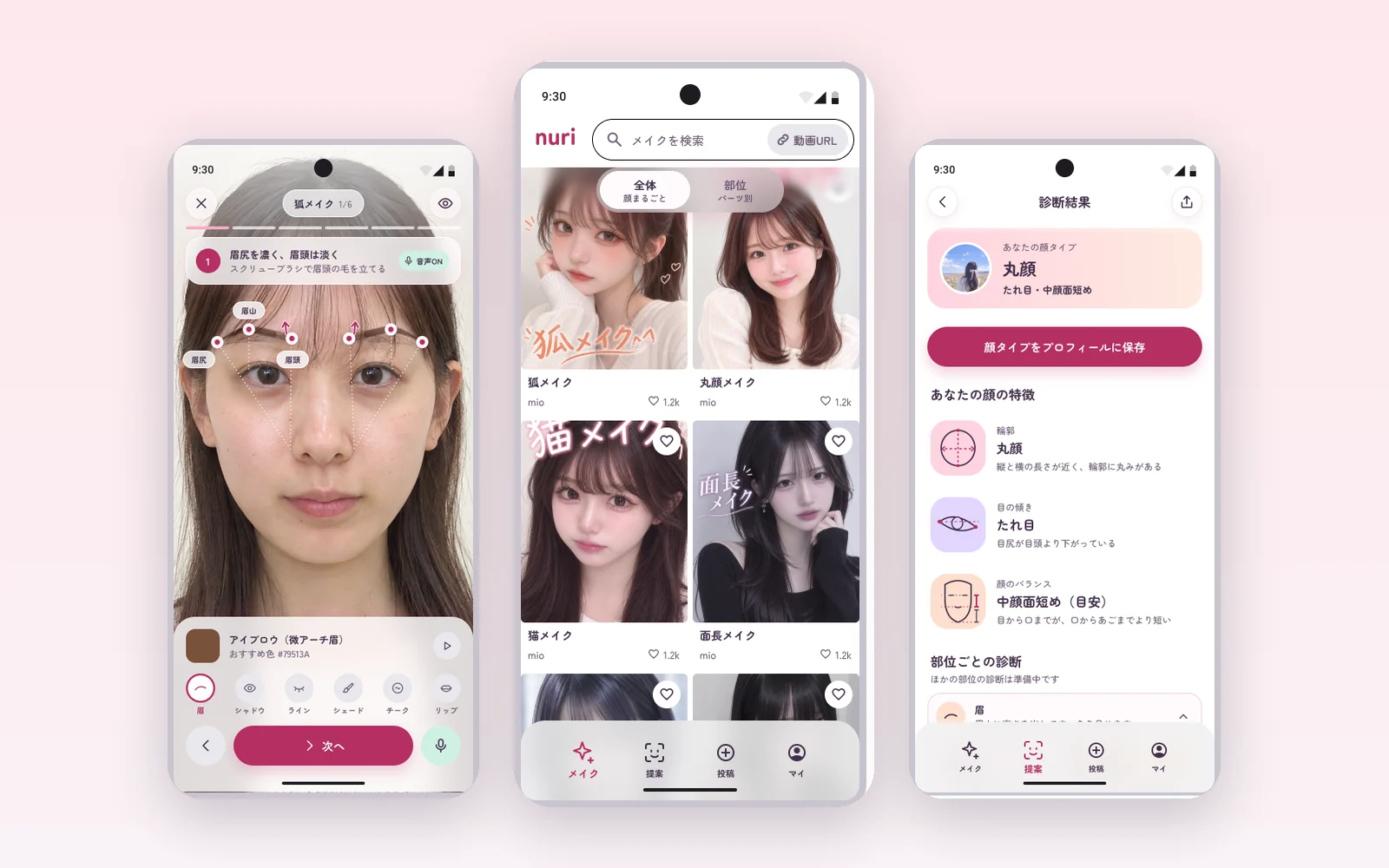
- Hackathon
- DevFest GDGoC Japan 2026 Hackathon (November 2026, Osaka venue)
- Team
- Team of 4 (KCVLびーよん)
Background
Makeup tutorials are filmed on someone else's face.
It's hard to tell where, and how widely, to apply on your own face. Pausing and rewinding the video to check each step with tools in your hands is a hassle too. nuri connects "turn a video into steps", "share" and "try on your own face" in a single makeup recipe.
Features
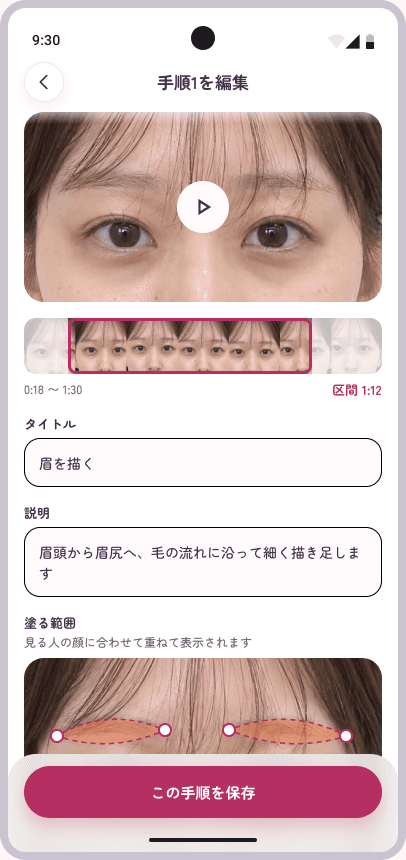
01
Turn a makeup video into a step-by-step recipe
AI extracts the description, cosmetics, area, coverage and color for each step from a video. You can edit the recipe before posting it.
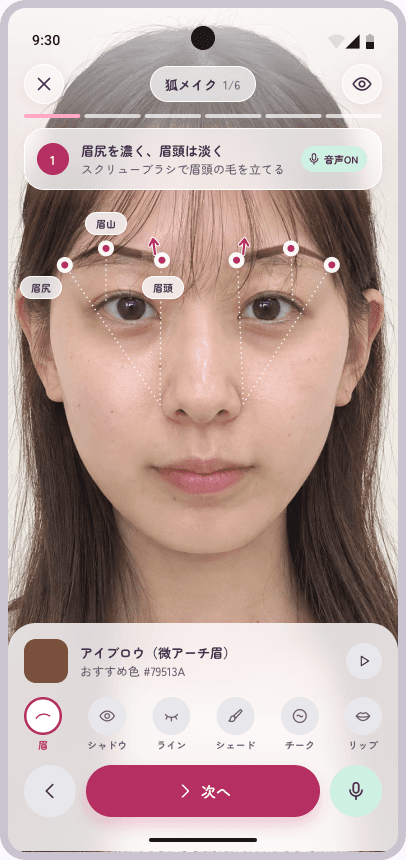
02
Follow it on your own face, one step at a time
The area and color to apply are overlaid in AR on your face in the front camera. You move one step at a time, so there is no need to pause or rewind a video.
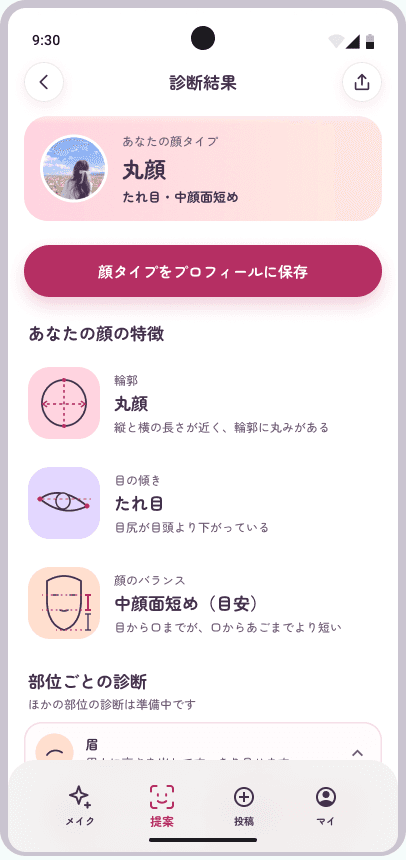
03
Find recipes that suit your features
nuri diagnoses your facial features from a photo so you can find recipes that suit you.
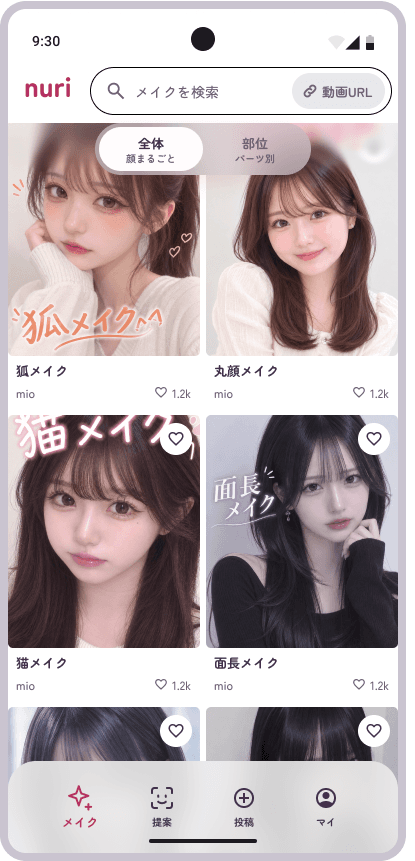
04
Save and follow
You can save recipes you like and follow the people who posted them.
The screens are Figma designs, not screenshots of the actual app. The sample people and cosmetics were made with image generation AI.
How it works
The area follows your own face
STEP 1
Place it in shared coordinates
The area to apply is placed in the UV coordinates of a standard face mesh (a shared coordinate system on the face's surface).
STEP 2
Fit the mesh to your face
When displayed, the mesh is fitted to your face.
STEP 3
The area follows your face
Even if the outline and the positions of features differ from person to person, the area deforms to follow your face.
Architecture
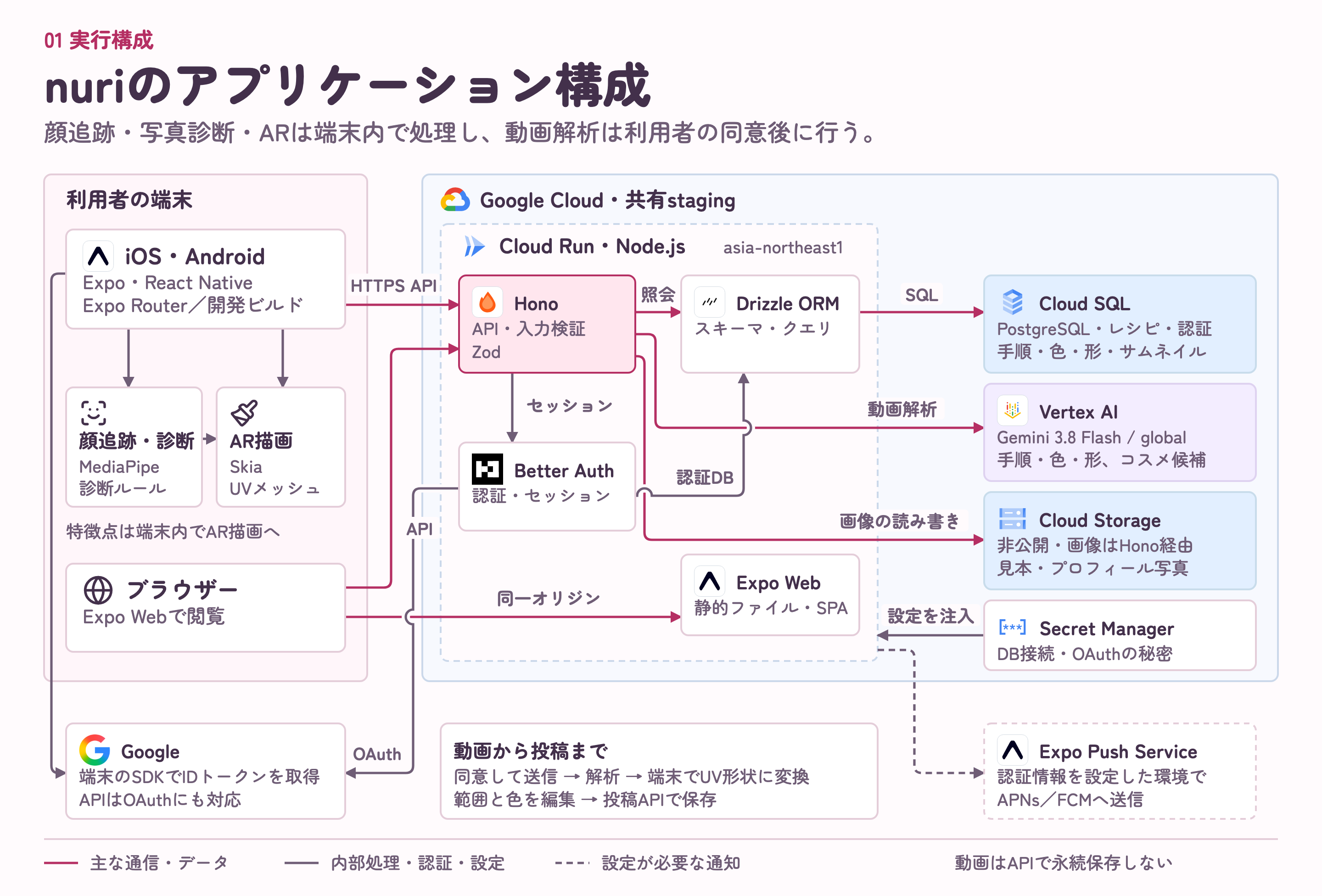
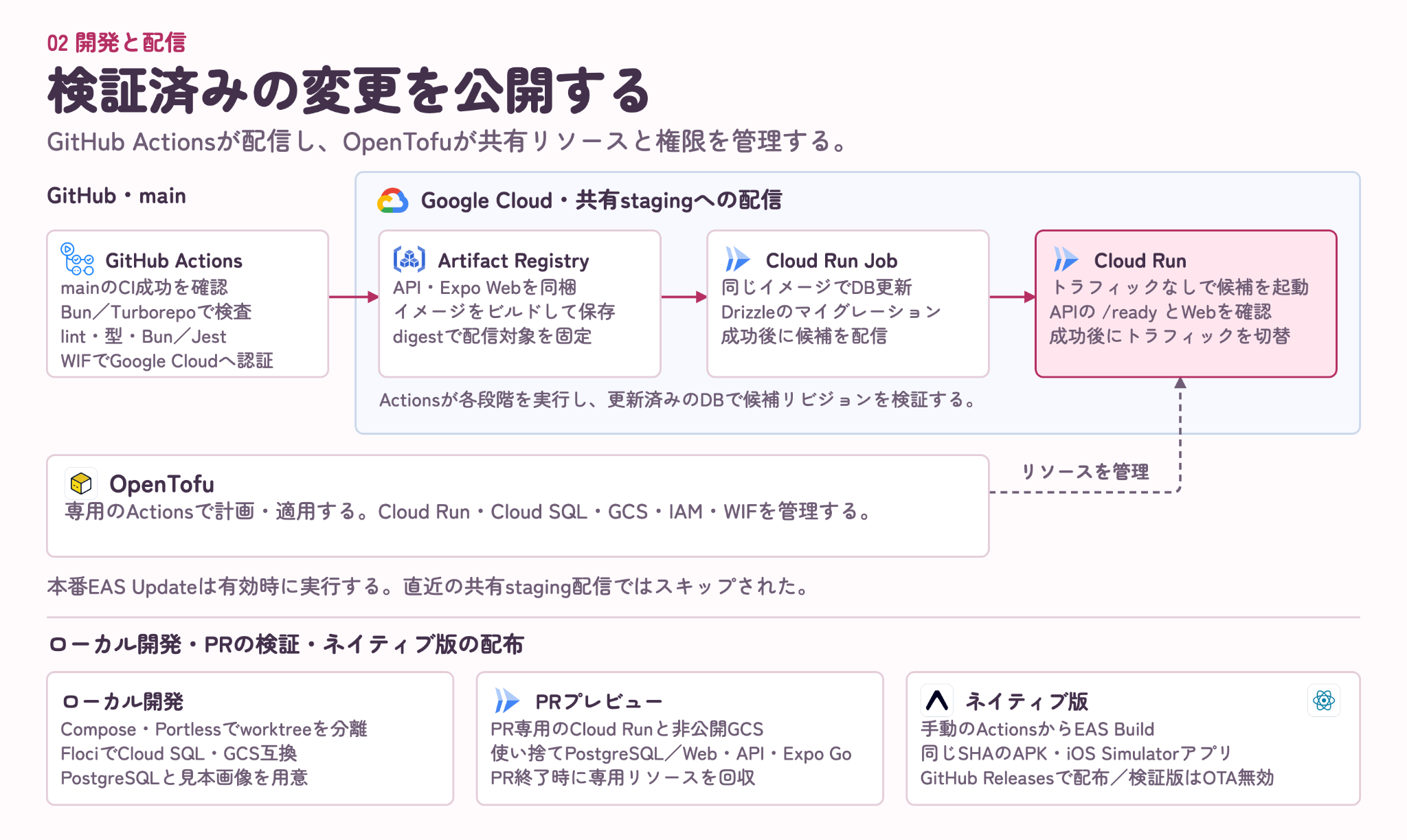
Expo(React Native)
One codebase supports iOS, Android and the web.
MediaPipe Face Landmarker
Facial landmarks are tracked on the device. Video of the face is never sent to the server.
Vertex AI(Gemini)
Videos are sent only with consent, and the model extracts each step's time range, area, color and coverage. Cosmetic names are checked against Google Search, and anything that can't be confirmed is marked "unverified".
Cloud Run・Cloud SQL
The API and the web version are served on Cloud Run, and recipes and steps are stored in Cloud SQL.



Presentation slides
The slides we used for the hackathon presentation (excluding the cover and the last slide). The slides are in Japanese.
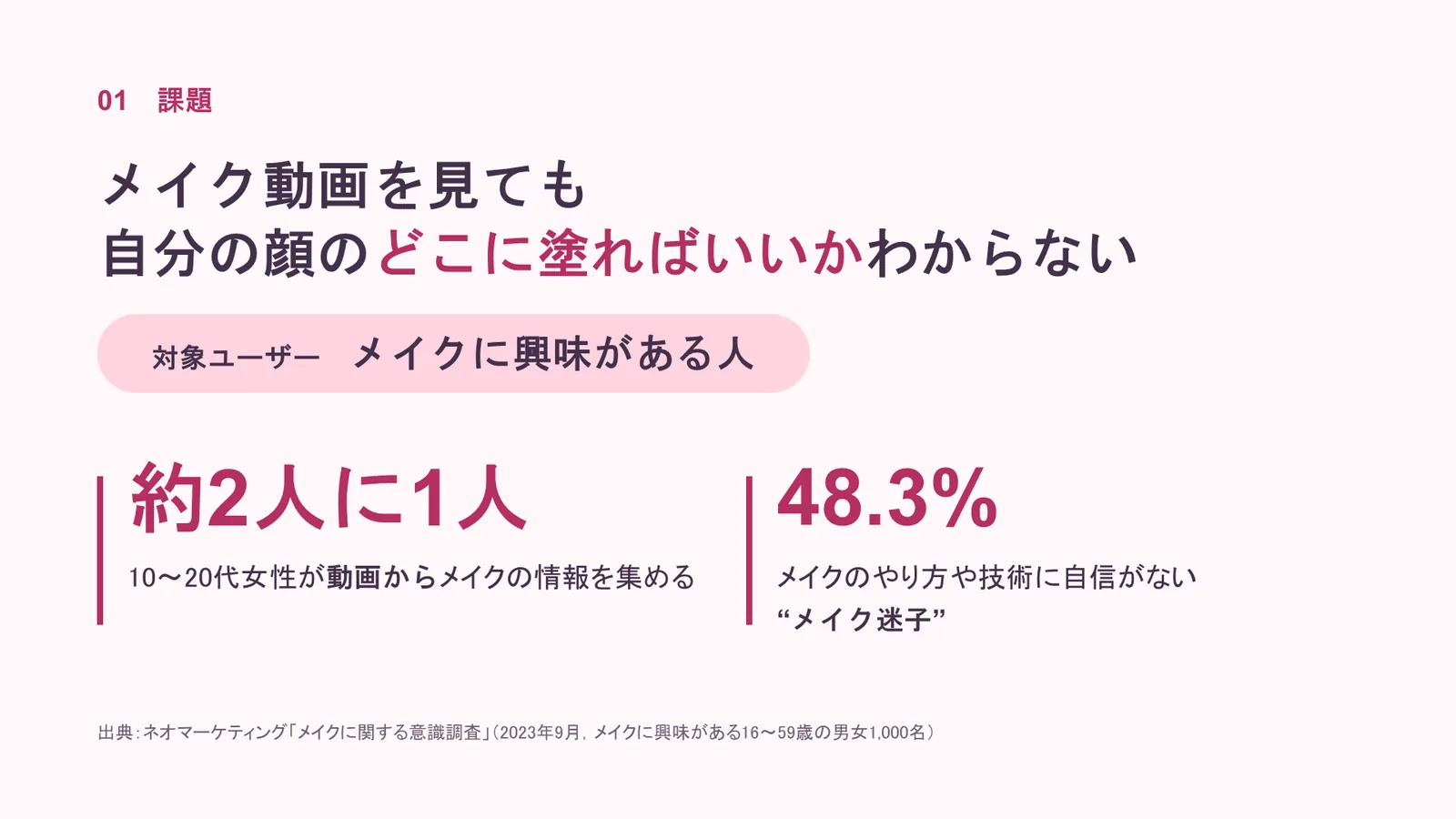
1 / 10The problem: makeup videos don't show where to apply on your own face
Technologies
- Expo・React Native
- MediaPipe Face Landmarker
- React Native Skia
- Hono
- Vertex AI(Gemini)
- Cloud Run・Cloud SQL・Cloud Storage
- PostgreSQL
- Drizzle ORM
- Better Auth
- OpenTofu
- GitHub Actions





The architecture diagrams are from the README of the team's repository. Logos come from svgl, devicon and gilbarbara/logos, and are trademarks of their owners.